Turn Your Selfie into a Professional Real Estate Headshot for Free
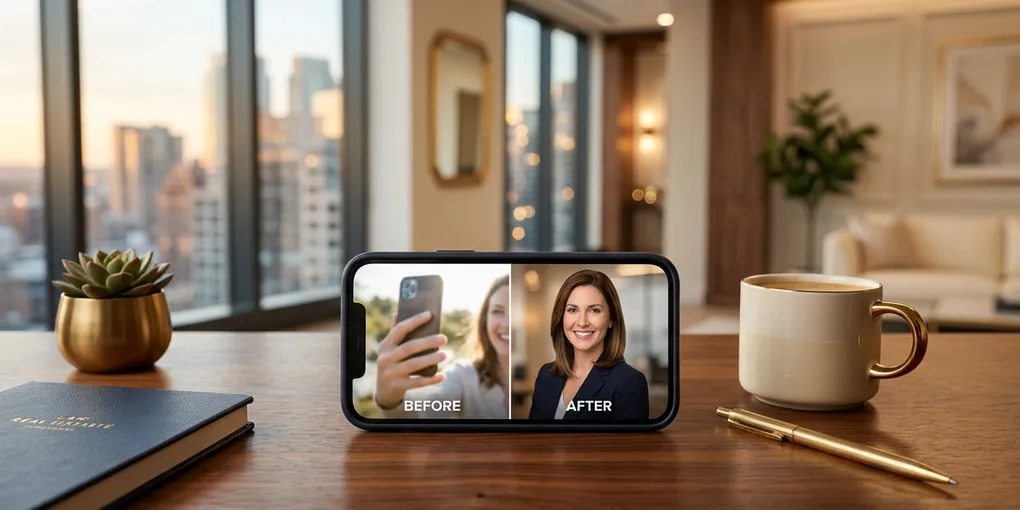
I did all of my headshots using one ugly, simple-looking iPhone selfie. That one photo generated every professional-looking headshot you see in my marketing materials — different styles, different backgrounds, different outfits — all from a single selfie I took in about three seconds.
If you are a real estate agent paying hundreds or thousands of dollars for professional studio headshots, or worse, using a five-year-old photo because you keep putting off the reshoot, there is a better way. Two free AI tools can turn a basic selfie into a gallery of professional headshots in under two minutes. No photographer. No studio. No cost.
I created a master prompt guide with seven different headshot styles and the exact prompts that generated every photo you see in this post. You can access it when you subscribe to the newsletter.
Why Most Agents Have Terrible Headshots
I see it constantly in the Austin market. Agents using headshots that are three to seven years old. Others using a cropped group photo from a brokerage event. Some using no headshot at all — just a logo or a stock image on their profile.
Your headshot is the first impression for every potential client who finds you online. When a homebuyer searches for agents in their area and your MLS profile shows a grainy photo from 2019, you start at a disadvantage against the agent next to you with a sharp, current image.
I get why it happens. Scheduling a photographer, coordinating an outfit, driving to a studio, spending a few hundred dollars — it feels like a hassle that never rises above the priority of actual production work. There is always another showing, another listing appointment, another client call.
AI removes every one of those friction points. No scheduling. No driving. No wardrobe coordination. No cost. Just your phone and about two minutes.
Tool 1: Leonardo AI
Leonardo AI is a browser-based image generation platform. You upload a selfie, write a prompt describing the headshot style you want, and it generates a polished professional image. The output quality surprised me when I first tested it — clean backgrounds, natural skin tones, professional lighting that looks like studio work.
Here is the exact workflow I use.
Go to Leonardo AI and create a free account. You get about 150 credits per day on the free tier. Each image generation costs about 40 credits, and it generates two images at a time. So you get roughly two generations per day for free — four headshot options per day without spending anything.
Click on “image,” then click “model” and select Nano Banana. This is the image generation model I use for all my headshots. It produces the most realistic results of the available options.
Upload your selfie as an image reference. This is the photo the AI will use as the basis for your headshot. You do not need a professional photo. I used a basic iPhone selfie — nothing staged, nothing special, just me looking at the camera in decent light.
Write your prompt. This is where the quality of the output is determined. A vague prompt like “professional headshot” produces generic results. A specific prompt produces headshots that look like you actually sat for a portrait session.
Here is an example from my casual and relatable style, designed to appeal to millennials, first-time home buyers, and younger investors who do not want a stuffy agent. That prompt generates headshots with natural poses, casual clothing, and warm backgrounds that feel approachable rather than corporate.
I created seven different style prompts, each targeting a different audience segment:
- Casual and Relatable — for millennial buyers and younger investors
- Lifestyle Professional — for community-focused branding
- Formal Studio — for MLS profiles and business cards
- High-End Luxury — for premium listing presentations
- Outdoor/Community — for neighborhood-focused content
- Modern Corporate — for brokerage materials
- Social Media Optimized — for profile photos across platforms
Each style speaks to a different audience. A millennial first-time buyer in East Austin connects with a different image than a luxury seller in Westlake. Having multiple styles lets you match your visual brand to your audience without booking multiple photo sessions.
The full prompt guide with all seven styles is available when you subscribe to the newsletter.
Tool 2: Google Gemini
If you have a Google account, you already have access to the second tool. Google Gemini handles image generation through natural language at gemini.google.com.
The process is similar but with a key difference in how you write the prompt. Because Gemini is conversational rather than a dedicated image generation engine, you need to front-load the instruction with context about the reference image.
Upload your selfie and start the prompt with: “Using the reference image as the subject,” followed by your headshot description. Without that opening phrase, Gemini sometimes generates a person who does not look like you at all. In one of my early tests, it turned me into an Asian woman. The result was hilarious, but not useful for my marketing materials.
With the correct prompt structure, Gemini produces headshots that are 90 to 95 percent similar to my actual appearance. Subtle differences exist — the face shape might be slightly rounder, the glasses slightly different — but nothing that someone who does not see my face every day in the mirror would notice.
One advantage Gemini has over Leonardo: it is conversational. After generating the first headshot, you can say “make the background darker” or “change to a charcoal suit” and Gemini adjusts the same image. That iterative workflow is faster than re-running a full generation each time.
Leonardo vs. Gemini: Key Differences
Both tools use the same underlying Nano Banana model, but there are practical differences worth knowing.
Watermarks: Gemini adds a small watermark to the bottom of every generated image. Leonardo’s free tier does not add watermarks to the image itself. If you are using the headshot directly for MLS or social media profiles, the Leonardo output is cleaner for immediate use. You can crop or remove the Gemini watermark, but it is an extra step.
Image resolution: Leonardo produces higher-resolution output by default. The images can also be upscaled within the platform for larger format uses. Gemini’s output resolution is slightly lower, though still sufficient for digital use — website headers, social media profiles, email signatures.
Multiple outputs: Leonardo generates two images per prompt, giving you options to compare. This is useful because AI generation is not perfectly consistent — some outputs look more natural than others.
Cost: Both have free tiers. Leonardo’s paid plan is roughly $10 per month and gives you more credits, higher resolution, and private generation. Gemini is free with any Google account.
For 90 percent of how agents use headshots — digital profiles, social media, email signatures, website bios — either tool produces sufficient quality. For large-format printing like bus bench ads or yard signs, you may want to upscale the image using a free tool or use Leonardo’s built-in upscaling feature.
Getting a Result That Actually Looks Like You
The biggest concern agents have about AI headshots is obvious: will it look like me? Nobody wants a headshot that looks great but does not match the person who shows up to the listing appointment.
Here is what makes the difference:
Start with a decent selfie. Natural lighting, face clearly visible, looking at the camera. Avoid heavily filtered photos, extreme angles, or images where half your face is in shadow. The AI needs clear reference data.
Be specific in your prompt. Describe the background, clothing, lighting style, and framing. The more detail you provide, the more accurate and realistic the output.
Generate multiple versions. I typically generate five to ten variations and pick the best one or two. AI image generation has some variance between outputs, so treat it like a digital photo session — you would not use the first frame from a real shoot either.
Check the details. Zoom in before using any image professionally. AI occasionally produces minor artifacts — a collar that does not sit right, a slightly off ear, an extra detail on the glasses. A quick review catches these before they end up on your business cards.
The similarity to my actual face runs about 90 to 95 percent. The teeth look right. The overall features are accurate. There are subtle differences, but nothing anyone would notice unless they were comparing the AI headshot against my real face side by side.
The Practical Recommendation
If you already have a professional headshot you are happy with and it is less than two years old, you do not need to replace it. But if your headshot is outdated, you have been putting off the photographer, or you simply do not have one, spend 10 minutes today generating an AI headshot.
Pull out your phone. Take a selfie in decent light. Open Leonardo AI or Google Gemini. Paste in one of the prompts from my guide. Generate. Review. Download. Done.
You will have a usable professional headshot before your next coffee gets cold.
For a deeper comparison of AI tools that save real estate agents time and money, check the full AI tools breakdown on the tools page. If you want more workflows like this delivered to your inbox every week, join the newsletter — I share the specific tools and prompts I am using in my own business, not theoretical advice from someone who has never held a listing appointment.
Stop overthinking your headshot. The best one is the one you actually use.
Liked this article? Get more like it.
AI tools, prompts, and workflows that close deals — delivered in 5 minutes a week. Free, unsubscribe anytime.