How to Create Your Real Estate AI Clone in 7 Minutes (Complete HeyGen Tutorial)
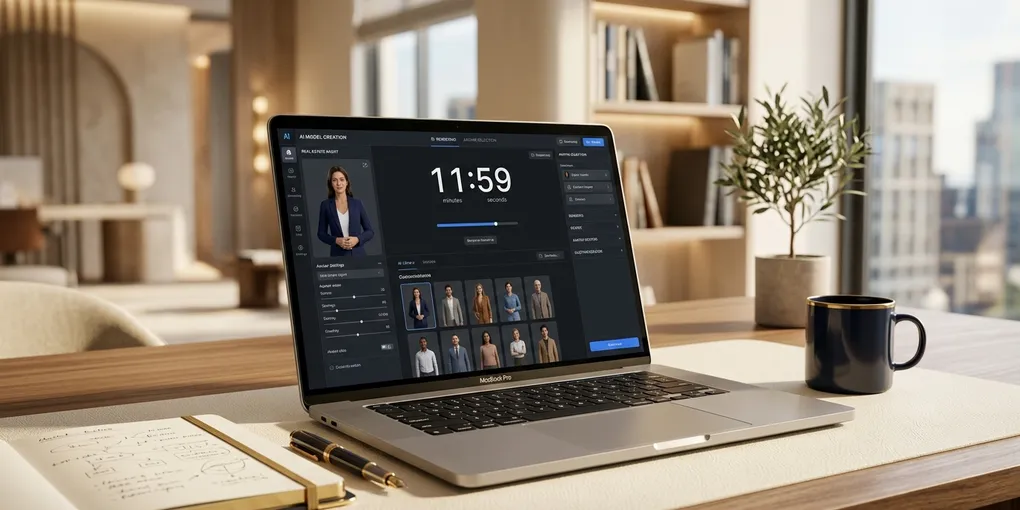
The intro to the video above was not filmed by me. My AI clone recorded it. The whole setup took about seven minutes, and I have not touched a camera for social media content since.
I am a full-time realtor in Austin, Texas. I built my real estate business using social media content, selling over $5 million in real estate as a new agent. The leads that come in from my content convert 5 to 10 times higher than my paid ads. The best thing is posting on social media is free. But now that I have more clients to serve, I needed a way to save time. That is why I started automating my content creation process using an AI clone.
This post is a complete walkthrough of how to set up your own AI clone for real estate using the HeyGen platform — both the photo method and the video method — including the recording tips that make the difference between an avatar that looks robotic and one that looks like you.
Two Methods: Photo vs. Video Avatar
HeyGen gives you two paths to create your AI avatar. The quality difference between them is significant, and understanding that difference up front will save you from starting over later.
The Photo-Based Avatar
This is the fastest path. You upload a single photo — a headshot, a studio shot, even a decent selfie — and HeyGen generates a talking avatar from it. The process takes about 30 seconds.
I tested this with one of my studio photos. The result was functional. The mouth movements matched the words. The head had some subtle motion. For someone scrolling quickly through a social feed, it could pass.
But when I looked closely, the movements felt slightly mechanical. The head stays relatively still compared to how a real person talks. There are no hand gestures. The overall feel is of someone standing very rigidly while delivering a script. It works for a quick test, but it is not what I would use for content I am publishing regularly to build my personal brand.
The Video-Based Avatar
This is the method I use and recommend for any agent serious about AI content. You record a two-minute video of yourself speaking about anything — your hometown, your hobbies, whatever comes naturally. Upload it to HeyGen, and the platform creates an avatar that captures your natural movements: head tilts, hand gestures, facial expressions, the way you shift your weight when making a point.
The difference in output is immediately obvious. When I compare my photo-based avatar side by side with my video-based avatar, the video version looks like an actual recording of me. The photo version looks like a decent approximation. For building trust with potential clients who have never met you, that quality gap matters.
The hand gestures are the biggest differentiator. When my video-based avatar talks, the hands move naturally alongside the speech. That body language is what makes video content feel human. Without it, even great lip sync looks artificial.
Setting Up the Photo Avatar (Quick Method)
If you want to test the platform before committing to the video method, here is the photo process.
Go to the HeyGen platform, navigate to your avatars, and click “create new.” Select “start from a photo.” Upload a photo following these guidelines:
- A clear shot of just yourself. No group photos.
- Face straight on or a natural side profile looking at or near the camera.
- Recent photo. You want to look like the person clients will meet. Do not use something from five years ago.
- Decent lighting. A selfie in natural light works fine.
- Avoid partially obscured faces, heavy filters, or unusual coloring.
Once uploaded, the avatar generates quickly. From there, you can add motion to make it less static. HeyGen offers motion presets like “talking naturally” or “compelling pitch” that add subtle body movement to the still image.
The audio from a photo-based avatar will not sound like you unless you have separately recorded a voice clone. It uses a default voice, which is one more reason the video method produces a superior result — the video captures both your movements and your actual voice.
Setting Up the Video Avatar (Recommended Method)
This is where the quality jumps dramatically. Here is the step-by-step process I followed.
Step 1: Go to HeyGen, click “create new” avatar, and select “start from video.”
Step 2: Click “enable gesture detection.” This is the setting that captures your hand movements and turns them into natural gestures in every video your avatar creates. Do not skip this.
Step 3: Choose your recording method. You can upload pre-recorded footage, record via webcam, or record via phone. I have found that uploading pre-recorded footage produces the best quality, but webcam recording works well and is more convenient for a first attempt.
Step 4: Record your two-minute video. This is the most important step, and the quality of this recording determines the quality of every video your avatar will ever produce. Here are the tips that made the biggest difference for me:
Lighting matters most. Good lighting is the single biggest factor in avatar quality. Face a window during the day, or use a ring light. Avoid overhead fluorescent lighting that creates shadows under your eyes. Studio-quality lighting is ideal but not required. Just make sure your face is evenly lit.
Use a quality microphone. The audio from your training video becomes the base of your AI voice. A good microphone produces a cleaner, more natural-sounding clone. I use a dedicated microphone at my desk. Your phone’s built-in mic will work, but external audio makes a noticeable difference in the final output. One tip: for social media style vertical video, some creators prefer the natural sound of a phone mic. For professional or studio-style content, use the best mic you have.
Look directly into the camera lens. Not at the screen. Not at yourself in the preview. At the lens. This is the same advice every video coach gives because it creates the feeling of direct eye contact with the viewer. Your avatar will replicate whatever your eyes do in the training video. If your eyes are off to the side reading a script, your avatar will have that same sideways gaze in every video it generates.
Pause between sentences. Close your mouth fully at the end of each phrase before starting the next one. Those clean pauses give HeyGen better data to work with when generating lip sync, and they prevent an awkward half-open mouth appearing between sentences in your avatar videos.
Keep hand gestures natural and below shoulder level. Use your hands as you normally would in conversation, but keep them between your chest and your waist. Large gestures above your shoulders can create rendering artifacts. The goal is natural, conversational movement — not exaggerated motion.
Smile. You want to look approachable. As a real estate agent, warmth and approachability are part of your professional brand. A neutral or serious expression in the training video means a neutral or serious avatar in every video it creates.
Step 5: Submit the recording for processing. HeyGen analyzes your facial movements, lip patterns, gestures, and voice to build your digital twin. Processing takes a few minutes. The platform runs quality checks on camera stability, mouth visibility, background contrast, speaker count, background noise, and pausing between sentences.
Step 6: Test the result. Once processing completes, type a short test script and generate a video. Review it for lip sync accuracy and natural movement. If something looks off, you can re-record the training video with adjustments.
That is the full setup. Seven minutes of actual effort for an avatar you will use for months or years of content.
Multiple Looks from One Avatar
One thing about HeyGen that most people do not realize: you do not need to create a new avatar every time you want a different look. You can add multiple “looks” to a single avatar.
I have myself in different outfits — an Under Armour collared shirt, a denim shirt, a white shirt. Each one is a different look of the same avatar. This means my content can feature variety without me recording new training videos every time I change clothes. It makes the content feel more authentic and prevents the visual repetition that makes viewers suspicious of AI-generated video.
What to Do with Your Clone Once It Is Built
The avatar is step one. The real value comes from integrating it into a content workflow that runs consistently.
I write short scripts targeting specific neighborhoods, buyer demographics, or market updates in Austin. Each script is 100 to 200 words — enough for a 30-to-60 second video. I paste the script into HeyGen, select my avatar and the appropriate look, generate the video, and post it.
For longer content, I create scripts based on actual questions my clients ask. If three buyers in a row ask about property taxes in the Austin metro, that becomes a video. If a seller wants to know whether to stage before listing, that becomes a video. Real questions produce content that resonates because it addresses real problems.
I also use AI headshot prompts to create professional-looking photos of myself for thumbnails, social media profiles, and marketing materials. I share the complete prompting guide for AI headshots when you subscribe to the newsletter — it covers seven different styles with exact prompts for both Leonardo AI and Google Gemini.
The Business Case for an AI Clone
The math is straightforward. I closed over $5 million in real estate from leads generated by my content. The leads from content convert 5 to 10 times higher than leads from paid ads. Posting consistently is the highest-ROI activity in my business.
Before my AI clone, I could not maintain that consistency. The production burden was too high alongside my client workload. Now I produce three to five pieces of content per week in under an hour total. The clone handles the production bottleneck. I handle the strategy, the client relationships, and the closings.
If you want to stay current on AI tools for real estate content creation, join the newsletter where I share new workflows and tool updates as I test them in my own business. And if you are ready to see how HeyGen video creation works once the avatar is built, I walk through the full content production workflow in a separate video linked from the one above.
The setup is seven minutes. The potential upside is hundreds of hours saved and a content engine that runs whether you are showing homes, on vacation, or sleeping. Record your two-minute video today.
Liked this article? Get more like it.
AI tools, prompts, and workflows that close deals — delivered in 5 minutes a week. Free, unsubscribe anytime.