AI Real Estate Video Creation: How I Make Social Media Videos in 5 Minutes
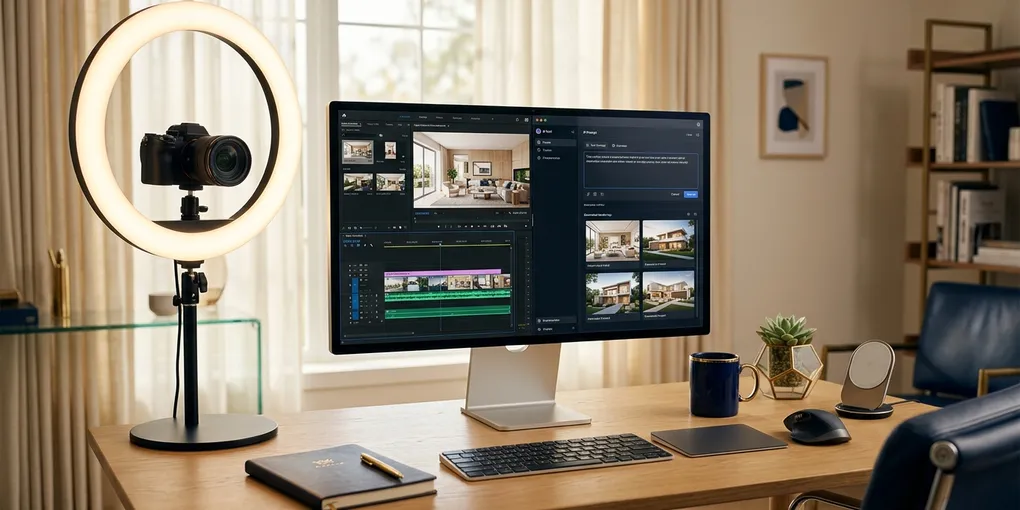
Four hours. That’s what the average real estate agent spends creating a single piece of video content. Finding the right lighting, getting the script memorized, shooting 14 takes because you keep saying “um,” importing the footage, cutting it down, adding captions, exporting, uploading.
I made a video while waiting for my coffee the other day. It took about five minutes. And honestly, it looked better than anything I used to produce with hours of effort.
I’m not exaggerating, and I’m not selling some fantasy. AI real estate video creation has reached a point where the quality is genuinely good, the process is fast, and the barrier to entry is low enough that any agent can do it. I’ve been testing this workflow for weeks, and it’s become one of the most practical AI tools I’ve added to my business this year.
Here’s exactly how it works.
The Problem With Video for Most Agents
You already know video works. Every coach, every broker, every marketing guru has told you to post more video content. They’re right. Video builds trust faster than any other medium, especially in real estate where people are handing you the keys to a half-million-dollar decision.
But knowing video works and actually producing it consistently are two completely different things. Most agents fall into one of three camps:
Camp one: camera-shy. You hate being on camera. You’ve tried. It feels awkward. You delete every recording before it goes live. So you post nothing.
Camp two: time-broke. You’re busy showing homes, writing offers, handling inspections. Content creation keeps getting pushed to “next week.” Next week never comes.
Camp three: perfectionist. You actually film content, but you spend so long editing and re-shooting that you produce maybe one video a month. Not enough to build any momentum.
I’ve been in all three camps at different points. The real issue isn’t motivation — it’s that the traditional video creation process demands too much time for the output you get.
AI real estate video creation solves this by collapsing that entire process into a few clicks. Not a watered-down version. Not a slide show with robot narration. Actual video content with your face and your voice talking about your local market.
My Five-Minute AI Video Workflow
I’ll walk you through the exact process I use, start to finish. The platform I’m using is called Real Agent Clone, which I built specifically for agents after testing every AI video tool on the market and finding that none of them understood real estate content.
Step 1: Set Up Your Profile (One-Time, 3 Minutes)
Before you create any videos, you fill in your profile with your name, phone number, the city you work in, and your brokerage. This matters because when the platform generates scripts, it pulls from your actual market data and personalizes the content for your area.
Generic content is the death of real estate marketing. Nobody cares about “5 tips to sell your home faster” when it could apply to any market in the country. When your AI-generated script references Round Rock staging costs or North Lamar down payment programs, people in your market actually pay attention.
Step 2: Create Your AI Clone (One-Time, 5 Minutes)
This is the part that sounds futuristic, but the setup is surprisingly simple. You need two things: a photo and a voice recording.
For the photo: You upload a headshot or even a decent selfie. The platform can enhance it — I tested this with a pretty rough selfie and the enhanced version came out looking like a professional headshot. You can choose different styles: lifestyle, corporate, minimalist, professional. I went with lifestyle because that matches my brand.
For the voice: You read through a short script, about 60 to 90 seconds of text. The longer you read, the more natural the voice clone sounds. You can also upload an existing audio file if you have one. Once this is done, you have a digital clone of yourself that can produce unlimited videos.
The whole setup takes maybe five minutes, and you only do it once. After that, every video uses the same clone.
Step 3: Generate a Script (30 Seconds)
Click “Create New Video,” pick a template category — buyer attraction, seller tips, market updates, whatever fits your content calendar — and hit “Generate Script.”
The platform writes a script using your profile data. Here’s an example it generated for me:
“I just met a couple in North Loop who thought they needed $60,000 down to stop renting. We found them a program with only 3% down instead. Austin is getting pricey, but you do not need a massive fortune to get started. Message me to see your options.”
That’s a real, specific, local piece of content. It references an actual Austin neighborhood. It addresses a common buyer objection. It ends with a call to action. And it took 30 seconds to generate.
If you don’t like the first script, hit regenerate. You can also edit the script manually — I added a line about professional photography to one of my seller videos because I wanted to emphasize that point.
Step 4: Create the Video (5 Minutes, Automated)
Select your clone, pick the voice, hit “Create Video.” The platform generates the audio from the script, renders the video with your AI clone delivering the lines, and handles the editing automatically.
You wait about five minutes. That’s it. No editing software. No color correction. No caption placement. The output is a polished, ready-to-post video.
Step 5: Publish Directly to Social Media (30 Seconds)
This is the part that saves me the most time on a daily basis. Once the video is done, I click “Share,” select Facebook or Instagram, and the video posts directly to my page with a caption already written.
No downloading the file, no uploading to a scheduler, no writing a caption. One click. The video is live on my business page.
I checked my Facebook page right after posting one of these, and there it was — caption, video, everything formatted correctly.
What the Output Actually Looks Like
I know what you’re thinking. AI-generated video sounds like it would look cheap or robotic. I thought the same thing before I tried it.
The quality genuinely surprised me. The voice clone sounds natural — it has my cadence and tone, not that flat AI voice you hear from basic text-to-speech tools. The video itself looks clean and professional. My audience on Facebook and Instagram can’t tell the difference between my AI-generated content and the videos I used to spend hours producing.
Here’s a seller video example I created: the script talked about a Westlake listing that sat for weeks until the sellers swapped their light fixtures and added fresh mulch. Small wins, big offers. The video covered exterior hardware updates, mulching, and ended with a call to action about prepping homes for sale.
It felt local. It felt like me. And it took five minutes.
I send a weekly breakdown of exactly which AI tools and workflows are working in my real estate business. No theory — just what I’m actually using to close deals and save time. Join the newsletter here and get it every week.
Why This Matters for Your Business Right Now
Consistency is the hardest part of content marketing. Most agents can produce one good video when they’re motivated. The problem is doing it again tomorrow. And the day after that. And every week for the next year.
AI real estate video creation removes the friction that kills consistency. When producing a video takes five minutes instead of four hours, you can realistically post five videos a week instead of one a month. That changes everything about your visibility in your local market.
Think about the math. One video a month gives you 12 pieces of content per year. Five videos a week gives you 260. Even if each individual video reaches a small audience, 260 touches per year compounds in a way that 12 never will. People in your farm area start seeing your face and hearing your voice regularly. When they’re ready to buy or sell, you’re the agent they think of.
And the content isn’t generic filler. Because the platform uses your profile and market data, every video is specific to your area. You’re talking about Austin neighborhoods, local pricing trends, and real scenarios your clients face. That specificity is what separates content that builds your business from content that just fills a feed.
How AI Real Estate Video Creation Fits Into a Bigger Strategy
Video alone won’t build your business. But video as the top of a content funnel is incredibly effective. Here’s how I think about it:
Discovery layer: AI-generated videos on Facebook, Instagram, and YouTube Shorts put your face in front of local homeowners and buyers. These are short, scroll-stopping pieces of content.
Depth layer: Blog posts, longer YouTube videos, and resource pages give people a reason to spend more time with your brand. I write about the AI tools I actually use and share the results I’m getting. That builds credibility in a way that short videos alone can’t. For a full breakdown of all the tools in my video creation stack, check out the AI tools comparison.
Conversion layer: A newsletter, a free guide, a staging checklist — something valuable enough that people give you their email address. From there, you can nurture leads over time instead of hoping they remember you from a video they saw three weeks ago.
AI video handles the discovery layer at scale. You still need the depth and conversion layers to turn views into clients. But the discovery layer is where most agents completely stall out, and that’s exactly where this workflow changes the equation.
Common Objections, Addressed
“Won’t people know it’s AI?” Maybe some will. Most won’t. But even if they do — the content is still accurate, local, and helpful. Nobody has complained about any of my AI-generated videos. They comment, they DM, they engage. The content serves them regardless of how it was produced.
“I should be authentic and film myself.” If you have the time and you enjoy being on camera, keep doing it. AI video isn’t about replacing your on-camera presence entirely. It’s about filling the gaps. You can film one “real” video per week and use AI to produce four more. Total output goes up. Consistency improves. Your audience doesn’t care whether you filmed it in your kitchen or generated it with AI — they care whether it helps them.
“Is this expensive?” The free tier gives you two videos to test with. That’s enough to see the quality and decide if it’s worth investing further. Compared to hiring a videographer or spending four hours of your own time per video, the math isn’t close.
Getting Started Today
Here’s what I’d do if I were starting from scratch:
- Sign up and create your profile with your actual market information
- Upload a headshot and record your voice clone — takes five minutes total
- Generate your first two videos using the free tier
- Post them to your business Facebook page
- Watch the engagement compared to your usual content
If the quality and engagement hold up — and based on my testing, they will — build it into your weekly routine. I aim for at least three AI-generated videos per week, mixed with my regular YouTube content and blog posts.
The agents who are going to win the next few years aren’t necessarily the ones with the biggest ad budgets or the most charismatic on-camera presence. They’re the ones who show up consistently in their local market with helpful, specific content. AI real estate video creation makes that possible for agents who otherwise wouldn’t produce any video at all.
If you want to see the full workflow in action, watch the video embedded above. I walk through every click from start to finish.
And if you want my templates, scripts, and local market guides for content creation, subscribe to the newsletter — I share the actual tools I use in my business, not theoretical advice from someone who’s never held a listing appointment.
Liked this article? Get more like it.
AI tools, prompts, and workflows that close deals — delivered in 5 minutes a week. Free, unsubscribe anytime.