I Cloned Myself with AI to Sell Real Estate (Zero Filming Required)
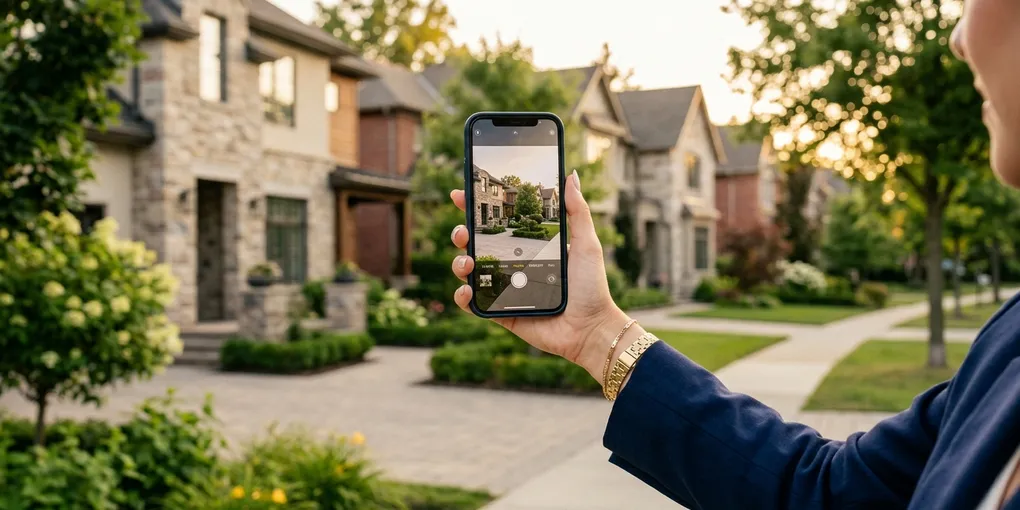
Content is important to generate leads for a real estate business. Social media is how I closed over $5 million a year in real estate transactions as a new agent. But between scripting videos, filming videos, and editing, I found myself short on time since I have a business to run. Clients to serve. Contracts to negotiate. Showings to attend.
So I cloned myself with AI — and the intro of the video above is the proof. That entire opening was created using my AI twin on HeyGen. No camera. No filming. No editing.
This post walks through two specific HeyGen features I use in my real estate business: the PDF-to-video converter and the AI Video Agent. Both produce polished content from minimal inputs, and both have changed the way I think about content creation entirely.
Feature 1: Turning PDFs and Lead Magnets into Videos
This feature changed my workflow the most. HeyGen can take a PDF or PowerPoint file and automatically convert it into a video with my AI clone presenting each page.
I create lead magnets and guides regularly. My primary one is a relocation guide for people moving to Austin — a 30-to-40 page PDF covering neighborhoods, cost of living, school districts, and market conditions. I created it using Gamma.app, which makes it simple to produce professional-looking presentations with AI.
Previously, that PDF sat in people’s inboxes. It was effective for email capture through my newsletter, but it was static content. Nobody was sharing a PDF on social media. Nobody was watching a PDF.
Now I upload that same PDF to HeyGen. The platform reads each page, auto-generates a script based on the content, and produces a video of my AI clone walking through the key points. The output is a polished, watchable video that I can post on YouTube, share on social media, or embed on a listing page.
Here is what the process looks like in practice. I uploaded my relocation guide. HeyGen parsed it into segments — for example, one segment covers Austin’s tech boom, referencing specific data like Tesla’s $1.1 billion Gigafactory and Samsung’s $17 billion semiconductor fab. My AI clone delivers those talking points as if I sat down and recorded them myself.
By default, HeyGen uses a generic avatar. I swap it to my personal avatar by selecting my clone from the avatar library. I can adjust the background removal, resize my clone’s position on screen, and modify the script for any segment. If a slide says “Austin’s allure lies in its tech boom,” I can change it to “Austin’s allure lies in its economic and tech boom” — whatever sounds more natural in my voice.
The entire setup takes about 10 minutes of work. Upload the file, select the avatar, adjust a few segments, and hit generate. What used to be a static document that lived in someone’s inbox is now a shareable video that builds trust before a prospect ever contacts me.
The strategic play here is powerful: create a 10-slide PDF on a topic like “How to Buy a New Construction Home,” upload it to HeyGen, generate the video with your clone presenting it, and at the end, tell the viewer they can download the full guide using the link below. The video drives traffic. The PDF captures the lead. Your AI clone handles the production. You handle the closing.
Feature 2: The AI Video Agent
This is where things get genuinely powerful. HeyGen’s AI Video Agent takes a simple text prompt — a few sentences describing what you want — and produces a complete video. It writes the script, selects relevant B-roll visuals, and renders your AI clone delivering the content.
I tested it with this prompt: “Create a UC-style video where an Asian female avatar casually explains the benefits of buying a new construction home instead of a resale home.”
The output surprised me. The AI generated a natural-sounding script about warranty coverage, builder incentives, interest rate buydowns, and personalization options. It added B-roll footage that matched each talking point — construction sites, modern kitchens, new home exteriors. The transitions were smooth. The pacing felt professional.
The B-roll is what sets this apart from a standard talking-head video. Automatic B-roll selection means the final product looks like a produced piece of content, not just someone standing in front of a camera reading a script. That visual variety keeps viewers watching longer and makes the content feel more polished than what 95 percent of agents are posting.
Using Your Own Avatar with the Video Agent
The default Video Agent uses a generic avatar. To use your own clone, you need your avatar ID from HeyGen. Go to your avatar library, click the three dots on your avatar, and select “copy avatar ID.” Then, when you start a new Video Agent conversation, tell it to use your existing avatar and paste the ID.
I tested this by creating a video about the pros and cons of moving to Austin in 2025. The agent generated a complete video with my clone delivering market insights, neighborhood highlights, and lifestyle considerations — all with relevant B-roll footage cut in. Moving to Austin in 2025, local food scenes, outdoor activities, downtown shots. The visual storytelling matched what a professional editor might put together.
Creating a Full Step-by-Step Guide Video
For a more detailed test, I prompted: “Create a video on how to buy a new construction home step by step in Austin, Texas in 2025.” I requested a 60-second vertical video.
The result was genuinely useful content. It covered getting pre-approved with a minimum credit score of 620, exploring FHA, VA, and local programs, choosing a builder with a track record in Austin like David Weekley Homes or Perry Homes, reviewing contracts with an agent, tracking construction milestones over an 8-to-10 month build timeline, and doing a final walkthrough before closing.
The script was specific and accurate. The B-roll matched each step. The pacing worked for a short-form social media post. This was better than most videos I have seen from other agents on the topic — and it was generated from a single sentence prompt in under two minutes.
The Content System Behind Both Features
The AI clone is one piece of a larger content machine. Here is how the whole system works:
Step 1: Identify the topic. I pull topics from actual questions my clients ask. What is happening in the Austin market. How to compete in multiple offers. Whether to buy new construction or resale. Real questions from real transactions.
Step 2: Create the core content. I write a brief outline or a full lead magnet PDF using AI. This becomes the source material for both written and video content.
Step 3: Generate the video. Upload the PDF for the document-to-video feature, or write a prompt for the Video Agent. My clone produces the video in minutes.
Step 4: Distribute everywhere. The video goes to YouTube, Instagram Reels, TikTok, and Facebook. Each platform gets the content formatted for its preferred dimensions and length.
Step 5: Repurpose into written content. The video script becomes a blog post that targets search traffic. Video covers social media discovery. Blog posts cover Google search. Both drive to the newsletter for ongoing nurture.
This system means I produce three to five pieces of content per week with roughly the same time investment I used to spend on one video. The clone handles the production. I focus on strategy, client relationships, and distribution.
For a broader look at AI tools solving different parts of the real estate workflow, I keep an updated comparison on the AI tools for real estate agents page.
What This Means for Your Practice
If you are a real estate agent who has tried and failed to maintain consistent video output, these two features remove the production barrier entirely. You do not need to be comfortable on camera. You do not need video editing skills. You do not need to block out half a day for filming.
You need a clone (which takes seven minutes to set up), content worth sharing (which you already have from your daily client interactions), and a distribution plan (which can be as simple as posting to two or three platforms consistently).
The agents who adopt this now have a 12-to-18 month window before it becomes mainstream. That head start compounds into more audience, more content library, more search rankings, and more leads — all before your competitors figure out this technology exists.
I send detailed guides and templates to help agents get started with AI content creation, lead generation, and marketing automation through the newsletter. If you want weekly breakdowns of the tools and workflows I am testing in my own business, join the newsletter. I share what is actually working from an agent who is still in the field closing deals every month.
The technology makes you more efficient, not more fictional. The expertise is real. The market knowledge is real. The AI just handles the camera work.
Liked this article? Get more like it.
AI tools, prompts, and workflows that close deals — delivered in 5 minutes a week. Free, unsubscribe anytime.