How I Create Real Estate Video in 5 Seconds Using My AI Clone
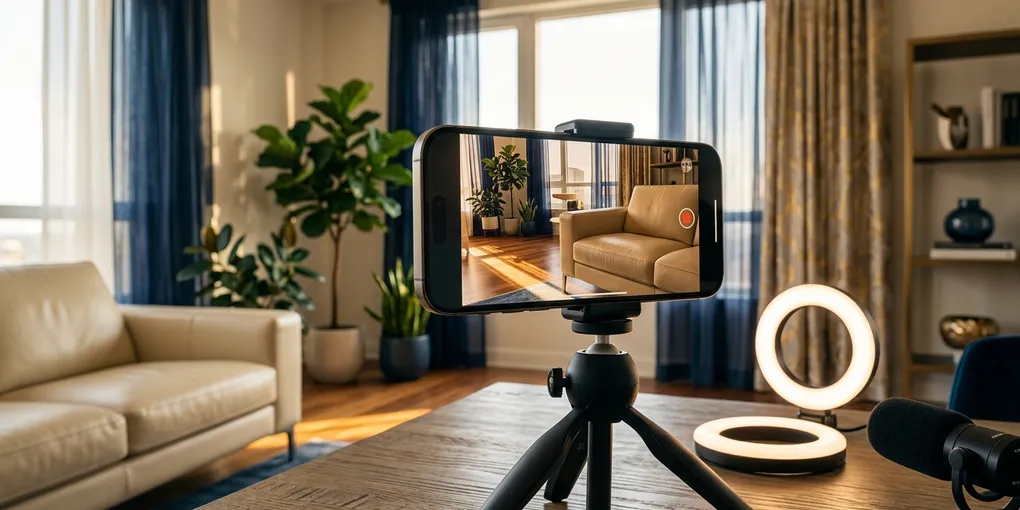
I posted two real estate videos to my social media last week. One targeted first-time homebuyers in Austin. The other gave home sellers three renovation tips that actually matter. Neither video required a camera, a script, or a single minute of editing.
I created both of them in about five seconds each using my AI clone.
That sentence would have sounded absurd eighteen months ago. Today it’s part of my actual content workflow. I’m going to walk you through exactly how I did it — creating the clone, cloning my voice, generating hyper-local scripts, and producing finished videos ready for Instagram, TikTok, or Facebook.
Why Most Agents Fail at Video Content
The data on video marketing for real estate is clear. Listings with video get 403% more inquiries than those without. Agents who post consistently on social media generate more inbound leads than those who don’t. Everyone knows this.
The problem isn’t awareness. The problem is production.
A typical talking-head video requires writing a script, setting up lighting, recording multiple takes, editing the footage, adding captions, and exporting for each platform. That process takes most agents two to four hours per video. When you’re running appointments, managing transactions, and prospecting, those hours don’t exist.
So most agents post for two weeks, burn out, and disappear from social media for three months. Then they feel guilty, try again, and repeat the cycle. I did this myself for longer than I’d like to admit.
An AI clone for real estate agents solves the production bottleneck entirely. You still control the message, the targeting, and the strategy. But the filming, editing, and production happen automatically.
What an AI Clone Actually Is
An AI clone takes a photo of you and a sample of your voice and generates video of “you” speaking any script you provide. The output is a realistic talking-head video — your face, your voice, your words — created without a camera.
This isn’t the uncanny valley deepfake technology from a few years ago. The current generation of AI avatar tools produces output that genuinely looks like you recorded a quick video on your phone. The lip sync matches the audio. The head movements look natural. For a 15-to-30 second social media clip, most viewers can’t tell the difference.
I built a tool called Real Agent Clone specifically for real estate agents after testing every AI avatar platform on the market. The general-purpose tools work fine for tech companies, but they don’t understand real estate content, local market scripting, or the specific hooks that stop a homebuyer from scrolling past your video. I wanted something purpose-built for agents, so I built it.
If you want a broader look at what AI tools are available for agents right now, I maintain a full comparison on the tools page that I update regularly. For a complete breakdown of video creation tools and how they fit into your broader AI workflow, see the AI tools comparison.
Step 1: Creating Your AI Clone (One Selfie)
The setup takes about two minutes. You upload a single photo — a normal selfie works fine. It doesn’t need to be a professional headshot. The photo should have only one face in it, shot in portrait orientation.
From there, you select an enhancement style. This is where it gets interesting for real estate specifically. The tool offers different visual styles designed to attract different client demographics:
Modern tech-savvy: Co-working space background, city skyline, forward-thinking aesthetic. This style appeals to younger buyers, tech workers relocating, and first-time purchasers who research everything online before talking to an agent.
Community-focused: Warmer tones, neighborhood feel. Strong for first-time homebuyers and families looking for their next home in a specific area.
Luxury-focused: High-end finishes, polished presentation. Built for attracting move-up buyers and luxury sellers.
I selected the modern tech-savvy style for my clone. The tool took my selfie — honestly, it was a pretty rough photo — and generated a professional-looking avatar that maintains my appearance but looks like I’m sitting in a clean, modern setting. The whole process took about thirty seconds.
Step 2: Cloning Your Voice
Voice cloning requires reading a short script out loud. The minimum is about one minute of recorded audio, though two minutes produces better results. You’re reading from a provided script so the system can capture your speech patterns, cadence, and tone.
Once processed, the voice clone reproduces your voice with surprising accuracy. It captures the way you naturally emphasize certain words and your general speaking rhythm. It’s not perfect — if someone listened to both versions side by side with headphones, they could probably tell — but for a social media video playing on a phone speaker, it’s close enough that my own colleagues have asked me when I filmed certain videos.
If you don’t want to clone your voice, there are pre-made voice options available. But I’d strongly recommend using your own voice. The whole point of this content is building a personal connection with potential clients in your market. A generic voice undermines that.
Step 3: Generating Hyper-Local Scripts
This is the part that matters most for lead generation, and it’s the feature I spent the most development time building.
Generic real estate content doesn’t convert. A video that says “now is a great time to buy a home” gets scrolled past. A video that says “did you know you can buy a home in Austin with less than 5% down?” stops someone who’s actively thinking about buying in Austin.
The script generator pulls from your account settings — your name, phone number, and location — to produce content that’s specific to your market. When I generate a first-time homebuyer script, it references Austin, Texas. It mentions Round Rock, Georgetown, or other local areas. It cites programs and scenarios relevant to buyers in my specific market.
Here’s the actual script one of my generated videos used:
“Did you know you can buy a home in Austin with less than 5% down? Last week, my client thought she needed $60,000 for a starter home in Round Rock. We found a program that got her in for much less. The lesson: don’t let a big number stop you. Message me to see your options.”
That script does four things that matter for lead generation. First, the opening line filters for Austin buyers specifically — if you’re not buying in Austin, you scroll past, which is fine because I only work in Austin. Second, it uses a specific dollar amount ($60,000) that makes the scenario feel real. Third, it references Round Rock, a specific suburb, which signals local expertise. Fourth, the call to action (“message me”) is low-friction.
I generated a seller-focused script the same way:
“Stressed about spending thousands on renovations just to sell your house here in Austin? You actually do not have to. Focus on three things: fresh neutral paint, professional deep cleaning, and simple curb appeal. These small steps often net you more than a full kitchen remodel. Want my local vendor list? Message me today.”
Same structure. Local reference. Specific advice. Clear call to action. Both scripts were generated in seconds.
Step 4: Creating the Video
With the clone, voice, and script ready, creating the actual video is a single click. You select your clone, choose your voice, and hit create. The system generates the audio from your voice clone first, then produces the video with synced lip movements and natural head motion.
Processing takes a couple of minutes depending on script length. For a 15-to-20 second social media clip, you’re looking at roughly two to three minutes of processing time.
The output is a finished video file ready to post. No editing required. No captions to add (though you can add them in your social media platform’s native editor if you want). No color correction, no audio balancing, no export settings.
My first-time homebuyer video came out at 16 seconds — the sweet spot for Instagram Reels and TikTok. The seller tips video was slightly longer at around 22 seconds.
The Math on Content Production
Before I started using an AI clone, I was producing maybe one to two videos per week. Each one took me about two hours including scripting, filming, re-filming when I stumbled over a line, and basic editing.
Now I generate five to seven videos per week. Each one takes about five seconds of active work (clicking the generate button) plus two to three minutes of processing time. I batch-create a week’s worth of content in under fifteen minutes.
That’s roughly eight hours per month of production time reclaimed. Eight hours I now spend on actual revenue-generating activities — prospecting, showing homes, writing offers, negotiating deals.
The quality of a five-second AI video isn’t identical to a professionally filmed and edited piece. But for social media content where the goal is consistent visibility and local authority building, it’s more than sufficient. The agent who posts five good videos per week will always outperform the agent who posts one perfect video per month.
What I’d Do Differently Starting Out
If I were setting up my AI clone for the first time today, here’s what I’d prioritize:
Record more voice data than the minimum. One minute works. Two minutes is noticeably better. The more audio the system has to work with, the more accurately it captures your natural speaking patterns.
Pick the right visual style for your target client. If you work with luxury sellers, don’t use the casual tech-savvy style. If you’re going after first-time buyers in their late twenties, the luxury style will feel disconnected. Match the avatar’s aesthetic to the people you want to attract.
Focus on one content category first. Either buyer tips or seller tips, not both. Get a rhythm going with one type of content, build up a library of ten to fifteen videos, then expand. Trying to cover everything from day one leads to unfocused content that doesn’t build authority in any area.
Batch your content. Generate five to seven scripts at once, produce all the videos in one sitting, then schedule them throughout the week. This keeps your social media consistent even on weeks when you’re slammed with closings.
Where This Fits in a Broader AI Strategy
An AI clone handles one specific piece of your marketing — social media video content. It doesn’t replace your CRM, your lead follow-up system, or your transaction management. It’s one tool in a stack.
I cover the full range of AI tools that are actually useful for agents — not just the ones that sound impressive — on the tools page. If you want to understand how video content fits alongside AI-powered listing descriptions, automated follow-up, and market analysis, that’s the best place to start.
For agents who want to go deeper into AI workflows specifically designed for real estate, I share what’s working in my business through the newsletter. No theory — just the actual tools and processes I’m using on live deals in Austin.
The Uncomfortable Truth About AI Video
Some agents will read this and feel uneasy. An AI clone generating videos of “you” that you didn’t actually film raises legitimate questions about authenticity.
Here’s my take: the content is still your expertise, your advice, and your market knowledge. The AI handles production — the equivalent of hiring a videographer and editor. Nobody questions whether an agent’s listing photos are “authentic” because a professional photographer took them instead of the agent. This is the same principle applied to video.
The agents who will struggle aren’t the ones using AI to produce more content. They’re the ones who stop producing content entirely because the production barrier is too high. Silence is worse than automation.
I’ve been using AI tools in my actual real estate practice for over a year now. The results show up in my pipeline, not just in my social media metrics. If you want to see how other agents are applying these tools, subscribe to the newsletter for templates and workflows you can adapt to your own business.
The technology will only improve from here. The agents who start building their AI content systems now will have a twelve-month head start on the agents who wait until it’s “perfect.” In real estate, a twelve-month head start in any marketing channel is worth more than most agents realize.
Liked this article? Get more like it.
AI tools, prompts, and workflows that close deals — delivered in 5 minutes a week. Free, unsubscribe anytime.