I Created an AI Clone of Myself So I Can Make Real Estate Videos Without Filming
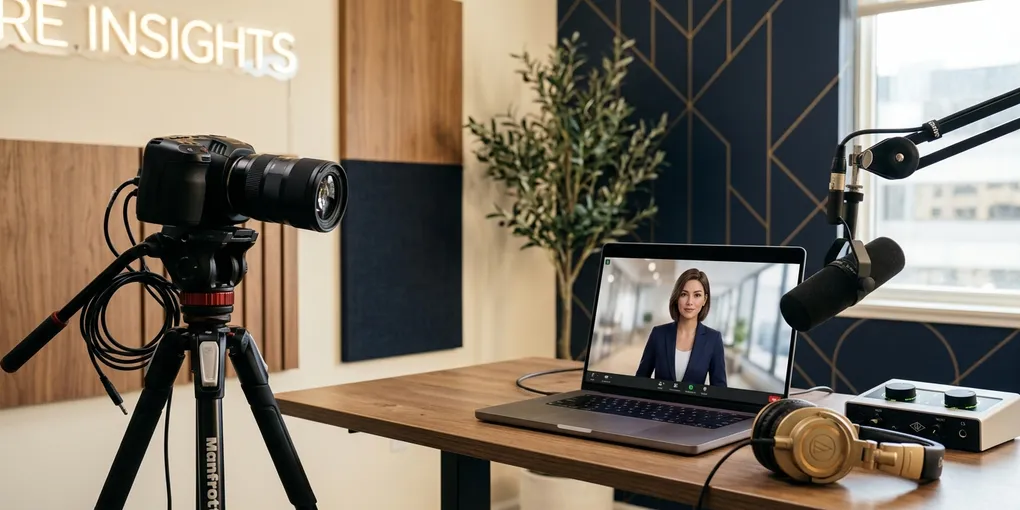
I have three versions of myself. None of them require me to set up a camera, check the lighting, or record anything.
That’s the reality of where AI video tools are right now. I’ve been using an AI avatar — a digital clone trained on my voice and likeness — to create real estate market update videos for my seller-focused YouTube channel. The content goes out consistently. My audience hears my voice. And I haven’t filmed it.
Here’s exactly how the system works.
The Problem With Traditional Video for Agents
Every real estate agent who takes content seriously knows the theory: show up consistently on video, build trust, generate leads. The problem is the execution. Planning, scripting, filming, and editing a three-minute market update takes hours. Do it every week and it starts to compete directly with your actual business.
I have a YouTube channel I care about, and I still found myself skipping market update videos because the production time wasn’t worth it for a three-minute piece. The content was valuable. The production overhead wasn’t.
The AI avatar workflow cuts that overhead to under 60 seconds once you have the system in place.
Step 1: Generate the Script With a Custom GPT
I built a custom GPT inside ChatGPT — what they call a Project GPT with specific instructions. Mine is configured as a content assistant for Austin real estate. The system prompt tells it my city, my audience, my tone, and the format I want for different video types.
For a market update, I give it the latest stats from my MLS — usually a screenshot showing the median price, closed sales, and other key data points. The GPT writes a script optimized for short-form video: concise, specific, conversational.
An example script output: “Thinking about buying or selling in Austin? Here’s what just dropped in the latest June market update. Median prices holding steady at $450,000. No change there. Closed sales ticked up slightly to just over 2,700 homes sold.”
That took about two minutes to generate, including the time to pull the MLS data.
You can get the prompt I use as part of the free setup guide — it’s built to be adapted for any city. Change the location references and you’re ready to go.
Step 2: Feed the Script to the AI Avatar
I have three avatar versions of myself set up on an AI video platform. I did a recording session — it required filming a specific set of training videos — and the platform used that footage to build a digital version of me that speaks in my voice, uses my mouth movements, and includes natural hand gestures.
Once I have a script, I paste it in, select which version of myself I want to use, and hit generate.
The output is a video of me — my face, my voice, my cadence — reading the script. I didn’t film anything. The entire video was generated from text.
When I watch it back, the lip sync is accurate, the voice is right, and it reads naturally. It’s not perfect in every detail, but for a 45-second market update, it does the job.
The setup to get to this point takes less than an hour once you know which platform to use and what kind of training footage to film. I’ve put the specifics on what makes a good training video in the community resources.
Step 3: Edit and Polish With Caption AI
A raw avatar video looks plain. No captions, no effects, no pacing adjustments. It won’t hold attention against the polished content on Instagram or YouTube Shorts.
I use Caption.ai to handle the editing. Their AI Edit feature is what I rely on — you upload the video, select a template, and it automatically adds captions, zoom-ins, zoom-outs, and other effects that match the pacing of the audio. The feature currently requires videos under 60 seconds.
What used to take 30-45 minutes in a video editor happens in about two minutes. The result looks like a properly edited short-form video with all the standard production elements.
The final version of a recent market update looked like this: captions popping in timed to each word, slight zoom to emphasize the key numbers, clean visual treatment that matches what other well-produced real estate content looks like.
The Full Workflow, Start to Finish
This is what the end-to-end process looks like once everything is set up:
- Pull the latest market data from your MLS (screenshot or numbers)
- Open your custom GPT, paste in the data, get back a script
- Copy the script into your AI avatar platform, generate the video
- Upload to Caption.ai, apply your template, export
- Post
Step 2 through step 4 takes under 60 seconds if your systems are configured. The total time including pulling data and posting is under 10 minutes for a finished market update video.
That’s a workflow I can run every week without it competing with my actual real estate business.
What This System Is For
I want to be direct about what this is and what it isn’t. The AI avatar is not a replacement for all video content. High-stakes listing presentations, property walkthroughs, client testimonials — those still benefit from being on camera personally. The relationship value is there.
What the avatar handles well: recurring, data-driven content. Market updates, rate commentary, neighborhood stats, general educational content about buying and selling. The kind of content where the value is in the information, not in the personal performance.
For that category of content, the avatar means I can publish consistently without the time drain. And consistent publishing is what builds the audience that generates inbound leads.
Why I’m Building Toward Full Automation
What I’ve described here is a mostly automated system with a few manual steps remaining. The next version removes those steps.
The vision is that the market data gets pulled automatically (I covered this in my AI agent for market data post), triggers the script generation, triggers the avatar video creation, and queues the result for review before posting. That last step — human review — I’ll keep. But everything up to that point should be automated.
I’ve already built out the Instagram and Facebook posting automation side separately. The video creation piece is the next thing to connect.
If you want to understand what tools make this possible and how to start building your own content system, the tools page covers everything I’m currently using. The full setup guide — including which avatar platform to use, what training footage to film, and the exact GPT prompt — is available when you subscribe to the newsletter.
And if you want to follow along as I build out the full automation stack, subscribe to the newsletter.
Liked this article? Get more like it.
AI tools, prompts, and workflows that close deals — delivered in 5 minutes a week. Free, unsubscribe anytime.